Shape characters, creatures, and worlds in virtual clay. Maxon ZBrush is an Academy Award®-winning and industry-leading tool for digital sculpting, modeling and painting. Its customizable tools and features, including more than 200 proprietary brushes, allow you to work with polygons the same way you would with actual clay. With ZBrush for iPad and native support for Windows on Arm (WoA) devices, you can sculpt, paint, and bring your creations to life in real time anywhere with touch-based capabilities.

Loading...

Plan includes

Free access to Redshift CPU
Free access to ZBrush on iPad, including premium features
Loading...

Trusted by

Character & Creature Artists

Sculpt production-ready characters and creatures with the detail, anatomy, and control that film, episodic, and game pipelines demand. Work at extreme polygon counts without the workflow breaking down.

Best for:
Film and VFX, episodic, AAA and indie games.

Character & Creature Artists image
Avengers - Wētā FX

Digital Sculptors

Push your sculpting skills further thanks to an intuitive interface and supportive creative community.

Best for:
High-detail characters, creatures, assets, and personal IP.

Digital Sculptors image
Disney - Lightstorm Entertainment - Avatar / Zachary Berger

Concept Artists

Fast rendering and easy asset management helps you create multiple iterations of work and adapt quickly to feedback from directors and studios. 

Best for:
Characters, creatures, props, and detailed environments.

Concept Artists image
Masters of the Universe - Constantine Sekeris

Toy & Collectible Artist

Make quick iterations on designs to save time and money on the molding and 3D process. 

Best for:
Toys, collectibles, statues, and resin garage kits. 

Toy & Collectible Artist image
Sideshow Collectibles

Product Designers

Wow clients with highly detailed, complex shapes, even in early stages of development, thanks to seamless integration between CAD and ZBrush-based models. 

Best for:
Automotive, fashion, jewelry, aviation, household products.

Product Designers image
Henry Chervenka

Illustrators & Designers Moving into 3D

A sculptural, non-technical way into 3D. Start on iPad with the same core tools, then move to desktop without relearning your craft.

Best for:
Illustrators, 2D artists, and designers adding 3D.

Illustrators & Designers Moving into 3D image
Gabriel Soares

Studios & Teams

Reliable, predictable, and pipeline-ready. ZBrush sits at the front of production and hands off cleanly to Cinema 4D, Redshift, Maya, 3ds Max, and game engines.

Best for:
Studios, in-house teams, collaborative production.

Studios & Teams image
Netflix - Love, Death, and Robots / Blur Studio

Pure sculptural freedom

Features

A dynamic brush system, base mesh creation tools, and remeshing that lets you stop thinking about topology and just sculpt. Combine, inflate, drape, and instance geometry with full sculptural freedom.

ZBrush is not only for organic work. Build precise low-poly and hard-surface models with ZModeler, Live Boolean, and polygon tools, all in the same environment.

PolyPaint lets you paint directly on the surface with no UVs or texture maps assigned in advance. UV Master, SpotLight projection, and MorphUV give you control from first color to final map.

Redshift in ZBrush brings GPU-accelerated rendering into your sculpting pipeline. BPR (Best Preview Render) adds shadows, ambient occlusion, fibers, and HD geometry, with the LightCap system for real-time material and lighting control.

Work seamlessly across the Maxon ecosystem. GoZ sends your ZBrush sculpt straight into Cinema 4D for animation and lighting — refine details, send it back, repeat. Need it in After Effects? Cineware bridges the gap between applications. 

Sculpt anywhere with full compatibility across desktop, iPad, and Windows on Arm (WoA).

ZBrush continues to evolve on desktop and iPad, making it easier to fit into your workflow. With native support for Windows on Arm (WoA), you can sculpt on the go, even on smaller devices. A new Substance Bridge lets you move from sculpt to texture in one click, while updated GoZ support keeps things smooth with the latest Maya and 3ds Max. On iPad, custom hotkeys can now be saved, shared, and brought into desktop ZBrush.

Value Proposition

Z Brush Icon 1
Easy to jump in and start sculpting
Z Brush Icon 2
Fluid sculpting, even at millions of polygons
Z Brush Icon 3
Robust brush system that mimics real world
Z Brush Icon 4
Tight-knit, supportive community

Solutions

Film & VFX

Production-ready characters and creatures with the detail and control film pipelines demand.

Learn more
Film & VFX image
Toho Studios / Kōsuke Taguchi

Games

High-detail sculpts and game-ready assets, from hero characters to environment work.

Learn more
Games image
DOOM: The Dark Ages / id Software

Jewelry & Product Design

Precise, detailed forms for jewellery and product design, ready for production.

Learn More
Jewelry & Product Design image
Aleksandr Platonychev

Concept Art & Illustration

Expressive form-finding for concept and illustration, on desktop or iPad.

Learn More
Concept Art & Illustration image
Transformers: Rise of the Beasts / Michael Michera

Tabletop gaming

Highly detailed miniatures, creatures, characters, terrain, and ornamental surfaces.

Learn more
Tabletop gaming image
Bethesda Software | Modiphius Entertainment

Tutorials

Grow your craft with tutorials, courses, and a global community. ZBrush rewards the time you put in, and the resources are built to take you from first sculpt to production-ready work.

Maxon One

Maxon Z Brush Mark Primary 200px
Sculpt in ZBrush

Industry-leading organic sculpting for characters, creatures, and high-detail assets.

Maxon Cinema 4 D Mark Primary 200px
Animate in Cinema 4D

Professional 3D modeling, animation, simulation, and motion graphics.

Maxon Redshift Mark Primary 200px
Render in Redshift

GPU-accelerated production rendering with artist-friendly controls.

Maxon Universe Mark Primary 200px
Stylize in Universe

Professional visual effects, transitions, text animation, and finishing tools for motion graphics and video editing.

Maxon Red Giant Mark Primary 200px
Finish with Red Giant

Colour grading, compositing effects, and motion graphics finishing for Autograph, After Effects, Premiere Pro and others.

Maxon Autograph Mark Primary 200px
Composite in Autograph

2D Motion graphics, VFX compositing, and social media graphics across industries. Optimized for speed and automation.

Maxon Capsules Mark Primary 200px
Find Assets with Capsules

Browse and download curated materials, models, presets, and templates to accelerate your creative workflow.

Maxon Cinebench Mark Primary 200px
Test hardware with Cinebench

Industry-standard CPU and GPU benchmarking to measure performance for 3D rendering and creative workloads.

Maxon Cineware Mark Primary 200px
Import scenes with Cineware

Seamlessly transfer Cinema 4D scenes into Adobe applications with live updates and native asset support.

Maxon Moves Mark Primary 200px
Capture motion with Moves

Capture facial performance and body motion to drive expressive character animation and motion graphics.

What is ZBrush?

ZBrush is professional digital sculpting, painting, and modelling software for character and creature artists, digital sculptors, and concept artists. It lets you shape highly detailed 3D models the way you would work with real clay, with a brush system that can handle tens of millions of polygons in real time.

From film and games to toys, collectibles, jewellery, and product design, ZBrush is where form takes shape. Sculpt with total freedom, refine to micro detail, then hand off clean geometry to your animation, rendering, and manufacturing pipelines.

Who is ZBrush for?

ZBrush is built for character and creature artists, digital sculptors, and concept artists, from professionals in production to artists investing in long-term skill growth. Illustrators and designers new to 3D often start on iPad and move to desktop.

What is included in a ZBrush subscription?

Every ZBrush subscription includes ZBrush on desktop, iPad, and Windows on Arm devices with premium features, rendering with Redshift, ZBrush Classroom, and Cineversity training. Maxon One adds Cinema 4D, Red Giant, Universe, and Capsules.

How does ZBrush works across different device such as desktop, iPad, and Windows on Arm?

ZBrush works between desktop, iPad, and Windows on Arm devices, so creators can maintain seamless workflow continuity across devices. We aim to deliver consistent features while optimizing the sculpting experience for each device. Check our ZBrush Feature Comparison page to see which version suits you best.

Which devices is ZBrush compatible with?

ZBrush is compatible with most of the latest versions of Windows (including Windows on Arm (WoA)), macOS, and iPadOS. For detailed information, check out our list of system requirements.

What makes ZBrush different from simplified or automated sculpting tools?

ZBrush is built around true sculptural control and artistic mastery, with the depth to take work from first idea to final production. It rewards skill and scales from exploration to production, rather than replacing the artist.

What file formats does ZBrush support?

ZBrush imports and exports standard 3D geometry formats and most industry-standard image formats for texturing, and connects to other applications through GoZ.

Which platforms does ZBrush run on?

ZBrush runs on Windows (including Windows on Arm), macOS, and iPadOS. Its processor-based engine runs well on most modern machines. A graphics tablet is strongly recommended.

What popular franchises have used ZBrush?

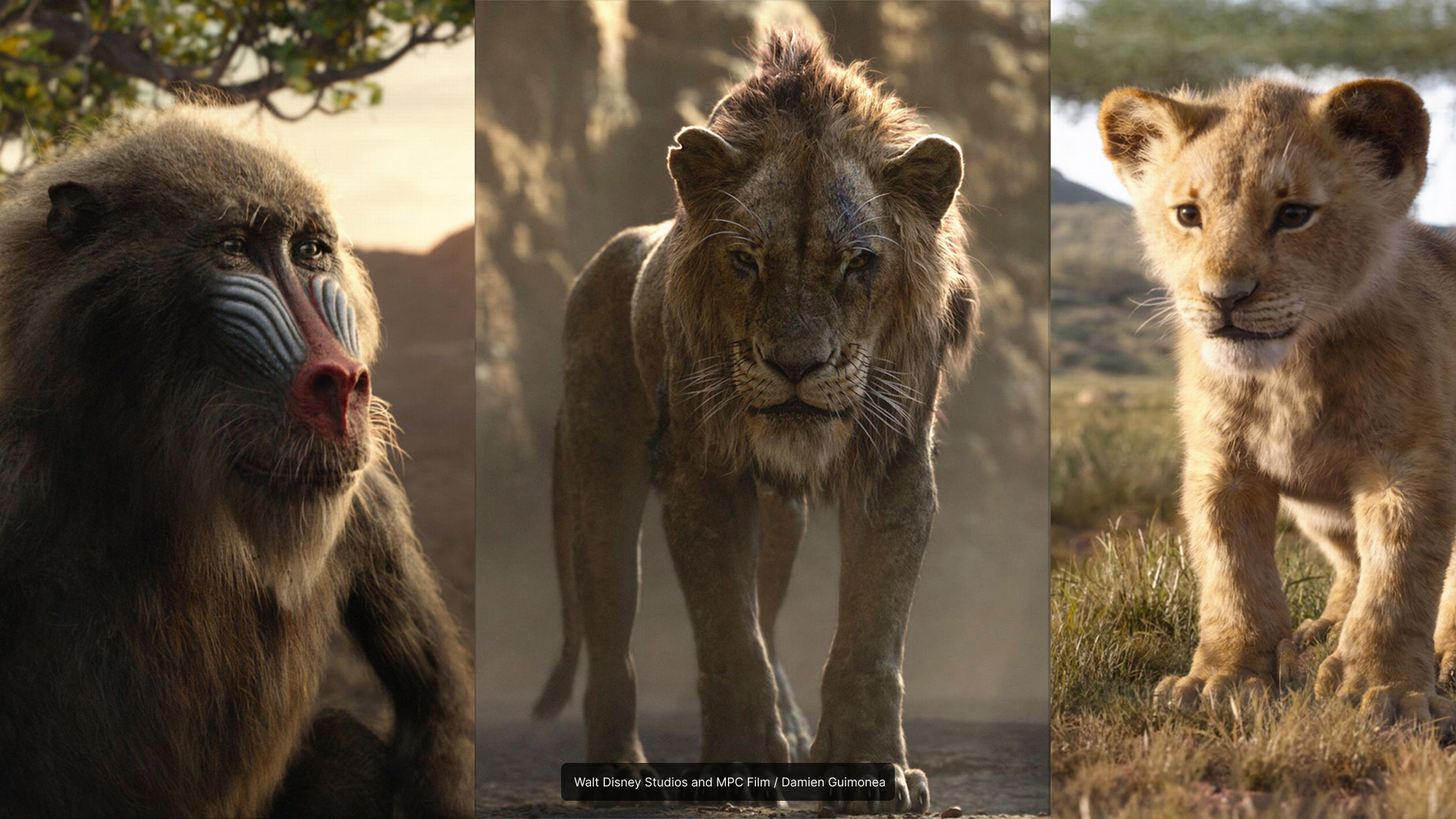
As the industry standard for digital sculpting, you can find works created with ZBrush across the entertainment industry. It’s been used to create characters and props in such beloved film franchises as Star Wars, Lord of the Rings, The Marvel Cinematic Universe, Transformers, Dune, and many more. In AAA video games, ZBrush has been used for Fortnite, God of War, Assassin’s Creed, and The Last of Us, among many others. ZBrush has also been used to create realistic figurines in popular tabletop games like Warhammer.

ZBrush is compatible with most of the latest versions of Windows (including Windows on Arm (WoA)), macOS, and iPadOS. ZBrush licensing is dual platform, so you can run on desktop and iPad simultaneously or switch between them at any time.

Thanks to its processor-based engine, ZBrush runs well on most modern computers regardless of their graphics cards. A graphic tablet (such as from Wacom) is strongly recommended. It will give you more control and easier interaction.

Support now extends to include Apple M-series Silicon Graphics chip processing. Take advantage of the latest technology while working inside the world’s most powerful digital sculpting software.

ZBrush is available in English, German, Spanish, Korean, Chinese, French, Japanese, and Brazilian Portuguese.


Download the Maxon App to start your 14-day free trial. Every trial includes ZBrush and the full Maxon One suite, so you can sculpt, render, and hand off across the whole pipeline.