Build any 3D model. Sculpt any form.

Professional 3D artists, motion designers, and character creators

Modern 3D workflows rarely separate organic sculpting from polygonal modeling because they often rely on both approaches working together. ZBrush is known for creating highly detailed organic forms, but it also offers strong tools for precise hard surface design. Cinema 4D focuses on clean polygonal modeling and procedural modeling, while still supporting intuitive sculpting. Used together, they give artists the flexibility to move between expressive sculpting and structured modeling within a single workflow.

Build any 3D model. Sculpt any form.

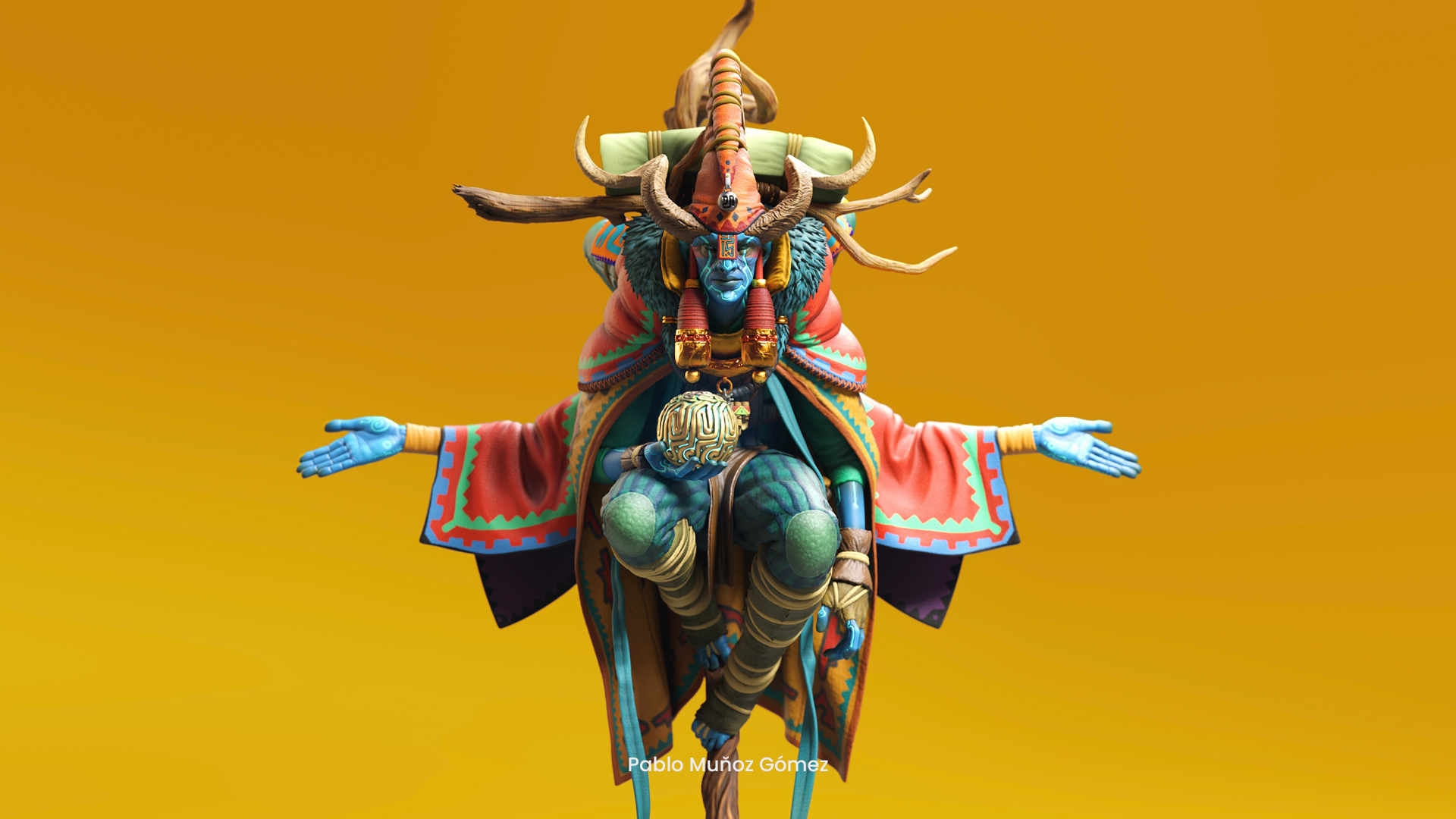
Artists use 3D modeling software such as ZBrush and Cinema 4D to create, edit, and visualize digital three-dimensional objects and characters. These models are developed using two primary approaches: sculpting, which builds organic forms with digital brushes, and polygonal modeling, which constructs geometry from points, edges, and faces. ZBrush is widely used for detailed organic sculpting but also supports hard surface work, while Cinema 4D is known for structured polygonal modeling and procedural tools, with the flexibility to handle sculptural tasks as well. The resulting models are used across film, television, games, product visualization, architectural rendering, motion graphics, medical illustration, collectible and toy design, comic books and more. Professional workflows in these fields often combine both modeling and sculpting depending on the needs of the project. This is why 3D modeling software provides you with a toolkit to get involved in a wide variety of industries.
Benefits

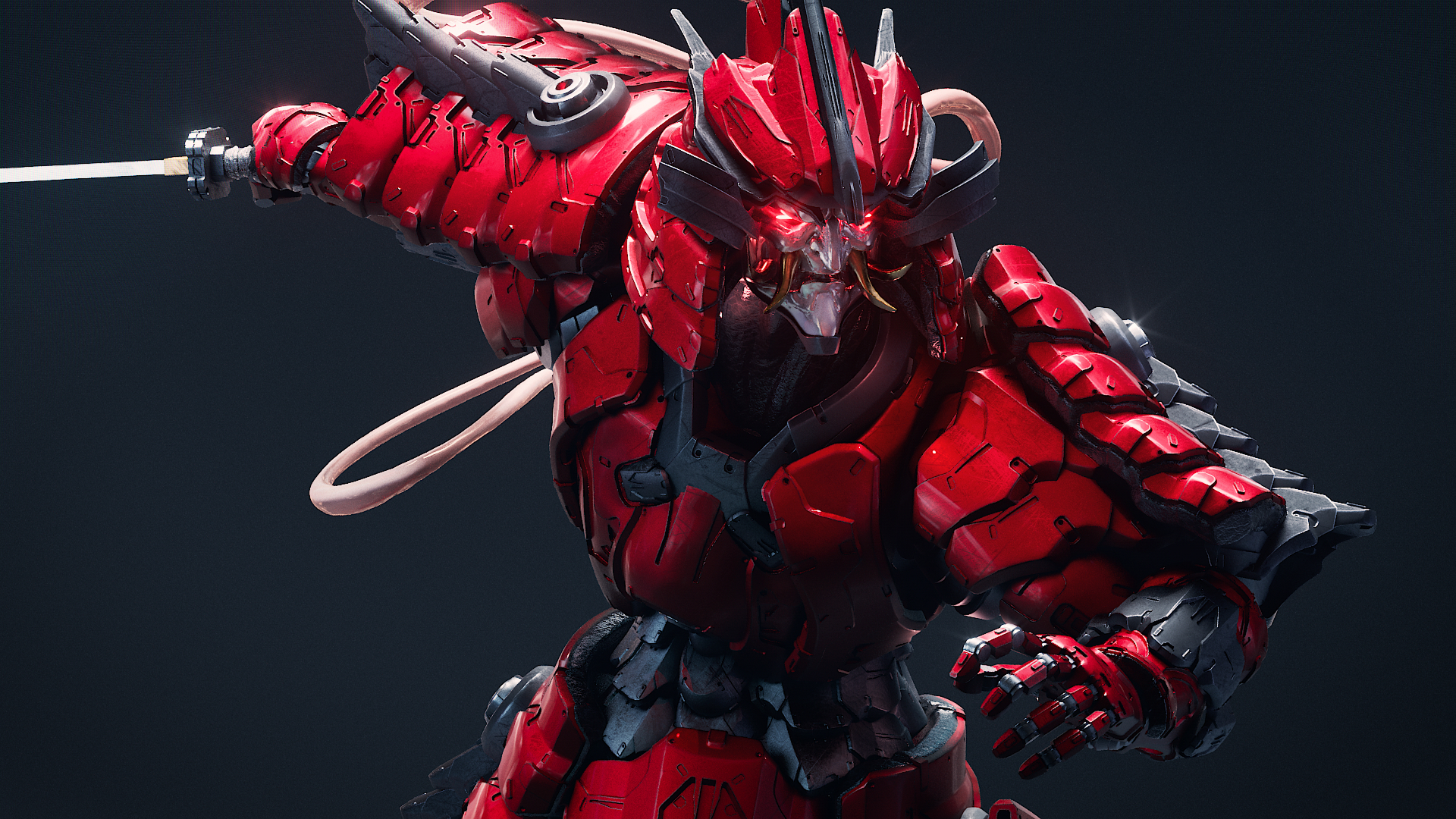
High-poly organic sculpting demands tools that allow precise control over intricate detail. Artists need brushes that respond to pressure, dynamic tessellation that adds polygons as needed, and a responsive interface that keeps up with complex models. ZBrush is the industry leading software for high-poly organic sculpting and is widely used in Academy Award winning productions for its ability to handle extremely detailed 3D models, like characters / creatures, props, environments, both organic and hard surface work. Sculpt freely without worrying about topology with features like DynaMesh and Sculptris Pro, that allow you to focus on shaping form and surface detail without being slowed down by technical limitations or manual mesh management. Paint directly onto your sculpt like it is real clay, no technical friction, just pure artistic expression. ZBrush supports your own journey into sculpting with its customizable UI that you can adjust to ideally suit your workflow.

In Cinema 4D, adjusting a single parameter updates the entire setup, reducing repetitive tasks like re-keying, re-cloning, or re-texturing. The MoGraph Cloner system distributes elements procedurally, so revisions stay fast, flexible, and efficient instead of time consuming.

Modern production often requires moving fluidly between detailed sculpting and structured modeling, and the bridge between these worlds is essential. ZBrush and Cinema 4D connect directly through GoZ, allowing artists to transfer models back and forth without disrupting geometry, detail, or UVs. This streamlined exchange makes it easy to refine organic forms in ZBrush and then continue building, rigging, or animating in Cinema 4D, creating a unified and efficient production pipeline.

Our Users

Character artists

Capabilities

ZBrush's customizable brush system lets you sculpt and texture virtual clay with pressure sensitivity and real-time feedback. DynaMesh rebuilds topology on the fly for fast concepting. Sculptris Pro adds polygon density only where your brush touches, so you never hit a geometry ceiling. PolyPaint lets you paint color directly on the model without UV assignment. ZBrush for iPad brings the same sculpting engine to Apple tablets, included with every ZBrush and Maxon One subscription.

  • Pressure-sensitive sculpting brushes
  • DynaMesh dynamic topology
  • Sculptris Pro auto-tessellation
  • PolyPaint direct-on-model painting

ZBrush mobile options revolutionize digital sculpting by making it possible to take the power of Academy Award-winning ZBrush on the go to sculpt, paint, and bring creations to life anywhere in real time no matter the device! In addition to the desktop version, ZBrush is available on the iPad and Windows on Arm (WoA) devices.

  • Reimagined user interface and touch-based controls
  • Seamless workflow between desktop and iPad
  • Support for Apple Pencil Pro
  • Support for Huion, Wacon, Xenxelabs and XP Pen tablets
  • Exceptional performance even on high-polygon models

Cinema 4D gives you full control over points, edges, and faces for building hard-surface models and procedural geometry. 

Parametric objects and modifiers keep the workflow non-destructive. The interface is fast enough for rapid iteration on motion graphics and detailed enough for product visualization at sub-polygon accuracy.

  • Point, edge, face manipulation
  • Parametric objects and modifiers
  • Non-destructive workflow
  • Hard-surface and organic modeling

MoGraph Cloner distributes objects along splines, grids, and stacks. Effectors add dynamic control over position, scale, rotation, and visibility. Change one parameter and the entire arrangement updates without manual rebuilding. This is purpose-built for motion graphics, architectural patterns, and any project where geometry repeats with variation.

  • Cloner distributes objects procedurally
  • Effectors for position, scale, rotation control
  • Single-parameter scene updates
  • Animation-ready geometry output

Cineware allows models and scenes created in Cinema 4D to be integrated directly into host applications such as Adobe After Effects and Unreal Engine, enabling artists to work with live 3D assets inside motion graphics and real-time environments without constant exporting and re-importing.

  • Bidirectional asset exchange
  • Supports Cinema 4D, Maya, 3ds Max, Houdini
  • No file conversion required
  • Seamless round-trip sculpting workflows 

Our Solutions

Maxon Cinema 4 D Mark Primary 200px
Cinema 4D

Cinema 4D is a professional 3D modeling, animation, simulation and rendering software used in design, motion graphics, VFX, AR/MR/VR, visualization, and game development. Recognized for its unparalleled ease of use and its versatile MoGraph toolset, Cinema 4D is the go-to software for creating complex motion design.

Maxon Z Brush Mark Primary 200px
ZBrush

ZBrush is a digital sculpting, modeling, and painting software used to create highly detailed 3D models. It offers fluid, intuitive features that allow you to model 3D shapes just like sculpting with real clay. Loved by 3D artists and studios worldwide, the intuitive brush system adapts to your style, letting you create with precision and control.

Maxon Z Brush Mark Primary 200px
ZBrush for iPad

Integrating ZBrush for iPad into your existing pipeline is now more seamless than ever. Take full control of your sculpts and quickly create low polygon topology with the new Retopo Brush. Generate accurate 3D models using the new iPad-exclusive photogrammetry feature, which leverages your iPad camera to capture real-world objects from multiple angles.

Maxon One Mark Primary 200px
Maxon One

Access a complete suite of 3D, motion graphics, rendering, and VFX tools in one bundle. Maxon One connects your entire workflow from modeling and animation to final render so you can create without switching ecosystems, keeping everything unified and efficient from start to finish.

Tutorials

Cinema 4D and ZBrush give you all the tools to model whatever you can imagine. Explore our tutorials to create everything from organic shapes to hard-surface models.

Complete Beginner's Guide to Modeling in Cinema 4D

polygonpen

Complete Beginner's Guide to Modeling in Cinema 4D image

How our tools are used

From our users

Use Cases

Sculpt high-fidelity characters and creatures in ZBrush, then retopologize and prepare for animation in Cinema 4D. This workflow combines the artistic freedom of digital sculpting with the technical precision needed for game engines and film production pipelines.

Create photorealistic product renders and architectural visualizations using Cinema 4D's polygonal modeling tools and Redshift rendering engine. Hard-surface precision and material accuracy power this workflow from concept to client-ready deliverables.

Build animated 3D elements for broadcast, advertising, and digital media using Cinema 4D's MoGraph toolset. Procedural modeling means one-parameter changes update entire scenes, which compounds into significant time savings across a multi-spot campaign.

Sculpt characters, creatures, and other VFX assets in ZBrush, then bring them into Cinema 4D for effects integration and rendering. GoZ bridges the two tools natively for episodic TV, title design and film production schedules with tight turnaround times.

How it works

The most efficient 3D modeling pipeline pairs freeform sculpting with structured polygonal work. The Maxon product lineup covers all modeling disciplines: ZBrush excels at organic, high-polygon sculpting. Cinema 4D excels at polygonal modeling, procedural geometry, and rendering.

Maxon Z Brush Mark Primary 200px
Organic modeling

ZBrush: DynaMesh, Sculptris Pro, PolyPaint 

Use Cases: Characters, creatures, organic objects

Start in ZBrush to create organic shapes.

  • DynaMesh allows quick blocking of volumes, organic objects and silhouettes without topology limitations.
  • Start in ZBrush to create characters and creatures.
  • Sculptris Pro automatically tessellates as you sculpt, making it perfect for fine details like skin pores, wrinkles, or fabric weave. Focus on form, not mesh management.
  • PolyPaint lets you paint details directly onto the model without UVs.
  • Use Redshift to render directly in ZBrush and iterate on the final look of your model.

Export your sculpt via GoZ directly to Cinema 4D to optimize topology for animation or rigging.

Maxon Cinema 4 D Z Brush Mark
Hard surface modeling

Cinema 4D: Polygonal Modeling, Bevel, Extrude, Knife Tools

Use Cases: Machinery, vehicles, architectural elements, industrial products

In Cinema 4D and ZBrush, use tools for polygonal modeling to build with precision: 

  • In Cinema 4D, use Extrude, Bevel, and Knife tools to create precise edges and clean geometric forms.
  • Apply Subdivision Surfaces in Cinema 4D to achieve smooth, controlled curvature while maintaining editable topology.
  • In ZBrush, use Hard Surface brushes such as Trim Dynamic, Clip Curve, and Polish to build sharp, mechanical forms.
  • Leverage ZBrush creasing and surface control tools to define crisp edges while refining complex sculpted details.
  • Use Redshift to showcase your models directly inside of ZBrush or create production renders in Cinema 4D.
Maxon Cinema 4 D Mark Primary 200px
Procedural modeling

Cinema 4D: MoGraph Cloner, Procedural Generators, and Deformers

Use Cases: City models, modular environments, repeatable structures

Procedural modeling offers maximum flexibility: 

  • Create procedural buildings, adjustable street layouts, or parametric rail tracks without manually building each elements and instance.
  • With the MoGraph Cloner and Effectors, complex arrangements can be driven non-destructively.
  • Changes to geometry or materials instantly update across all instances, making it ideal for fast client iterations.
  • Use Redshift to achieve production quality rendering to showcase your models.
What is the difference between sculpting and polygonal modeling?

Sculpting in ZBrush uses award-winning digital brushes to shape organic forms in an intuitive manner, similar to working with clay. Complementing this, Cinema 4Ds sculpting tools provide an integrated workflow that makes it easy to refine forms directly within the broader 3D pipeline. Polygonal modeling, as available in ZBrush and Cinema 4D, relies on points, edges, and faces to construct geometry with a high degree of precision. Each approach offers distinct advantages: sculpting is generally more efficient for a free-flowing organic creation process, while polygonal modeling produces low polygon assets with specific control. In professional workflows, these techniques are most often used in combination.

Which 3D modeling software is best for beginners?

Cinema 4D has earned a reputation for being the most intuitive among professional-grade 3D tools. The viewport responds instantly, the UI and menu structure is logical, and Cineversity provides structured tutorials for every skill level. For organic sculpting specifically, ZBrush's brush-based interface maps closely to traditional clay work, and ZBrush for iPad offers a portable entry point on Apple M-series tablets. Mastering high-polygon sculpting takes practice regardless of the tool.

How do I integrate ZBrush with Cinema 4D?

GoZ is a native bidirectional bridge built into ZBrush. Sculpt your model, click the GoZ button, and the geometry appears in Cinema 4D ready for retopology and rendering without manual export steps or format conversion. The bridge also works in reverse, so you can push Cinema 4D geometry back to ZBrush for further sculpting. Both tools are included in the Maxon One subscription. See the official GoZ documentation at help.maxon.net for version-specific setup.

Can I export 3D models from Cinema 4D or ZBrush to game engines?

Cinema 4D exports to FBX, OBJ, and Alembic, all compatible with Unreal Engine and Unity via Cineware. ZBrush exports high-poly sculpts in the same formats. A typical game asset workflow starts with sculpting, then retopologizing automatically using ZRemesher or manually using, for example, the retopology brush in ZBrush and UV-unwrapping and model prepping in Cinema 4D. The asset is then exported to the engine using either traditional export formats or Cineware for a synced iterative workflow between Cinema 4D and Unreal Engine. ZBrush also features the Substance Bridge, a one click solution to Substance Painter which streamlines the texturing process, reducing export times and prep work.

Start sculpting and modeling with Maxon One.

Start your 14-day free trial.

Free 14-day trial on all plans. No credit card required. Cancel anytime.