
ZBrush and 3D Printing: The Complete Guide
Author: Arndt von Koenigsmarck · Technical review by Paul Gaboury · Last reviewed August 2026
ZBrush is a digital sculpting application used at two points in the 3D printing process: creating detailed models from scratch, and preparing existing models or 3D scans so they will print reliably. Because it can handle very dense meshes, often millions of polygons on a standard computer, it is well suited to the fine surface detail that printed figures, props and parts usually need. This guide is an overview of how ZBrush fits into 3D printing, and it links to focused guides for each stage of the workflow.
Whichever software you use, a printable model has to meet the same physical requirements. It needs to be "watertight," meaning a closed surface with no holes into its interior. It needs adequate wall thickness so the object is not too fragile. It has to be at the correct real-world scale. And it must be exported in a format a slicer or print service can read. ZBrush provides tools for each of these steps, which is why it appears so often in 3D printing pipelines. If you also work in Cinema 4D or with downloaded models, see the broader guide on how to create 3D models for printing.
Desktop and iPad. The workflows on this page apply to ZBrush on the desktop and to ZBrush for iPad. The 3D Print Hub, which handles print export, is available in both.
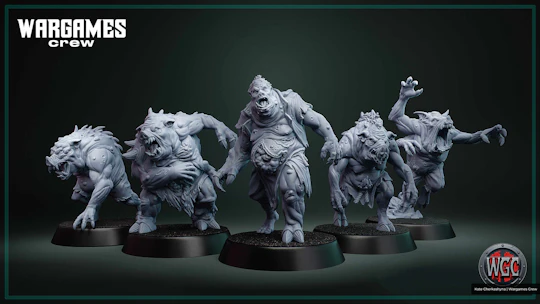
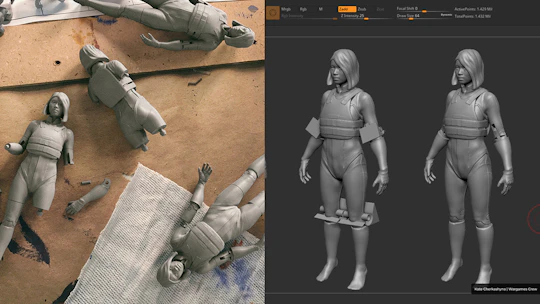
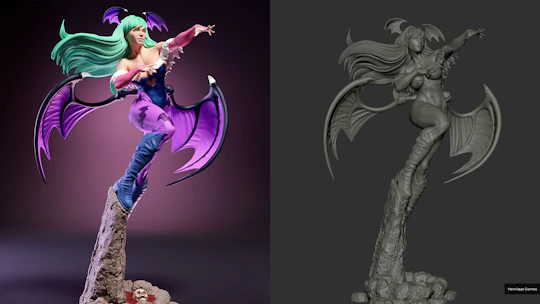
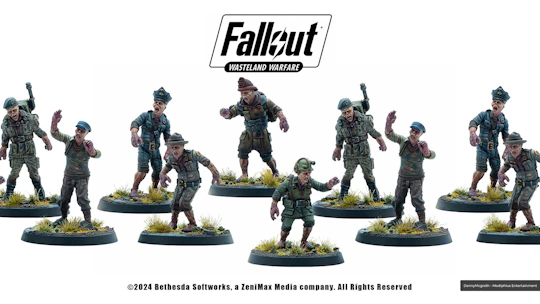
The ZBrush 3D printing workflow at a glance
A typical path from idea to printed object follows these stages, and each links to a full guide below:
Create or import a model. Sculpt an original design, or bring in an existing mesh or a 3D scan.
Prepare and repair. Close holes, unify the surface, and make the mesh watertight.
Hollow and check wall thickness. Save material and verify the model is thick enough to print.
Reduce the polygon count. Bring a dense sculpt down to a printable size while keeping detail.
Export. Set real-world scale and export to a printable file format.
Creating printable models from scratch
ZBrush's sculpting tools let you build an original model with printing in mind from the start, keeping scale, detail and thickness realistic for the printer you intend to use.
Preparing and repairing models
Downloaded models and 3D scans usually need cleanup before they print. ZBrush can close holes, weld points, unify geometry with DynaMesh, rebuild topology with ZRemesher, and clean raw scans with Polygroups, the Slice brush and Projection. It also offers the Draft Analysis tool, which interactively color-codes the surface by its orientation to a chosen pull direction, making it easier to design negative molds.
Hollowing and wall thickness
Hollowing a model saves material and print time, but only if the walls stay thick enough. ZBrush hollows with Create Shell or LIVE Boolean, and its PolyPaint from Thickness analysis, combined with Scale Master for real units, shows exactly where a wall is too thin.
Reducing polygons with Decimation Master
Sculpts can reach tens of millions of polygons, which is more than most printers or print services accept. Decimation Master reduces the count dramatically while preserving surface detail.
Exporting for 3D printing
When the model is ready, the 3D Print Hub plugin exports it at the correct real-world size in the format your slicer or print service needs. → Full guide:
What you can 3D print with ZBrush
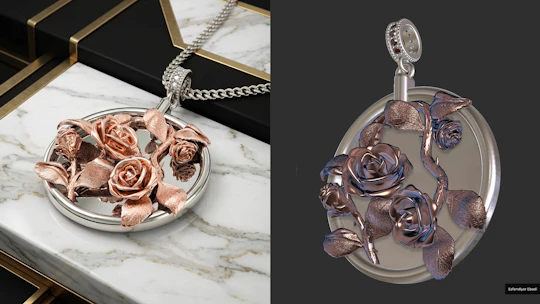
ZBrush appears in a wide range of pipelines, from collectibles, tabletop miniatures and cosplay props to jewelry, medical models, prototypes and decorative objects.
Industries where ZBrush is used
ZBrush is used across many fields that rely on 3D printing: toys, collectibles and figurines; film and television props, costumes and creatures; prosthetics and medical models; jewelry design; product design, automotive and aviation; and scientific and educational models. In the toy and collectibles sector, companies including Hasbro, Gentle Giant Studios, Kotobukiya, Mattel, Good Smile Company, Max Factory, Sparrow and LEGO build products with ZBrush. In special effects, Iron Man's armor and the Jaeger pilot suits in Pacific Rim were developed in 3D with ZBrush and then printed by Legacy Effects.
Frequently asked questions
Is ZBrush good for 3D printing?
Yes. ZBrush is widely used both to sculpt original printable models and to prepare or repair existing ones. It can make meshes watertight, hollow them, check wall thickness, reduce polygon counts, and export STL, 3MF, VRML and OBJ through the 3D Print Hub.
Can ZBrush export STL for 3D printing?
Yes, through the 3D Print Hub plugin, which also exports 3MF, VRML and OBJ, and lets you set real-world size in millimeters or inches. See how to export STL from ZBrush.
Do I need another program to 3D print from ZBrush?
You still need a slicer (such as PrusaSlicer, Lychee Slicer, CHITUBOX, Cura or Creality Print) to turn your exported model into printer instructions. ZBrush handles the creation, preparation and export stages.
Does ZBrush work for 3D printing on iPad?
Yes. ZBrush for iPad includes the same core sculpting and preparation workflow and the 3D Print Hub for export.
Part of the wider guide on how to create 3D models for printing.