
建築ビジュアライゼーションとは何か?建築VIZの完全ガイド
重要ポイントを簡潔に
- 建築ビジュアライゼーションは、CAD/BIMや施工データを、誰もが直感的に理解できるビジュアルに変換し、プロジェクトの着工前に、設計上の意思決定、承認手続き、マーケティングを支援します。
- ビジュアライゼーションとは、創造的な分野(構図、ストーリーテリング、意図)を指し、レンダリングとは、最終的なピクセルを生成するための技術的な計算を指します。
- 現代の建築ビジュアライゼーションには、静止画レンダリング、建築アニメーション/ウォークスルー、360°パノラマ、そしてインタラクティブなレビューやVR向けのリアルタイム建築ビジュアライゼーションなどが含まれます。
- フォトリアルな仕上がりは、「あらゆる箇所でディテールを増やす」ことよりも、厳密に管理された照明やマテリアル、明確なシーンの焦点と階層構造、そして一貫性のあるポストプロダクションと合成に左右される。
- 3ds MaxやBlender、あるいはリアルタイムエンジンによる建築ビジュアライゼーションなど、ツールやパイプラインを問わず、基本となる要素は変わりません。それは、クリーンなデータ、調整済みのマテリアル、そして予測可能な出力です。
建築ビジュアライゼーションは、「Archviz」や「建築VIZ」と呼ばれ、建築設計が実際に建設される前に、その設計を表現する画像、アニメーション、あるいは没入型のデジタル体験を作成するプロセスのことです。技術的な図面や3Dモデルを、空間、光、雰囲気、そして空間的な関係性を伝える視覚的な物語やリアルな表現へと変換します。簡単に言えば、建築VIZとは、3Dビジュアライゼーションや3Dレンダリングのワークフローを通じて建築を可視化し、建設工事に着手する前に技術的な設計内容を理解しやすくすることを目的としています。
建築VIZを理解するには、あるシンプルな考えから始める必要があります。それは、建築を技術文書から人間の知覚に翻訳するということです。
| 技術データ | 人間の知覚 |
|---|---|
CAD図面 | 感情的な影響 |
BIMモデル | クライアントの理解 |
測定値 | 雰囲気 |
建設データ | 意思決定 |
編集部注
本ガイドは、建築ビジュアライゼーションについて実務者レベルの理解を深めたい読者のための学習資料として作成されました。これは、モデリング、レンダリング、ポストプロダクション、インタラクティブなレビューに至るまでの実際の制作ワークフローを反映しており、単なる辞書的な説明ではなく、プロフェッショナルな視点から建築ビジュアライゼーション(建築VIZ)を解説することを目的としています。
建築ビジュアライゼーションとは
建築ビジュアライゼーションは、Archvizまたは建築VIZとも呼ばれ、建築を正確かつ説得力のある形で可視化することに焦点を当てた、CGI(建築CG)の専門分野です。3Dモデリング、ライティング、マテリアル、カメラ、レンダリングを活用し、静止画、建築アニメーション/ウォークスルー、360°パノラマ、およびインタラクティブなレビュー用のリアルタイム建築ビジュアライゼーションなどの建築ビジュアライゼーションを作成します。
簡単に言えば、もし「建築VIZとは何か」と尋ねられたら、その答えはこうです。それは、建築データを3次元画像、アニメーション、インタラクティブなプレゼンテーションとして表現し、視覚的な体験へと変換する専門的な実践です。これには、静止画、アニメーション、リアルタイムプレゼンテーション、および建築を明確に伝えるために用いられるその他の3D可視化手法が含まれます。
「建築ビジュアライゼーションの定義」という表現は、次のように要約できます。建築VIZとは、建築のための視覚的コミュニケーションであり、技術的な正確性を土台とし、芸術的な判断によって仕上げられたものです。レンダリングはその一部ではありますが、その分野のすべてというわけではありません。その意味で、建築レンダリングは、より広範なビジュアライゼーションプロセスの成果物の一つです。建築レンダリングを簡潔に定義すると、照明、マテリアル、カメラ、およびレンダリングソフトウェアを用いて作成された、3Dシーンの計算による視覚的な結果です。これは、建築レンダリングの意味を実際の場面で説明する上で、最もわかりやすい方法でもあります。シーンをレンダリングすることはできますが、そのシーンが何を伝えるべきかを決定するには、依然として視覚化が必要です。
建築ビジュアライゼーションが重要な理由
建築の可視化が重要である理由は、建築には多額の費用がかかり、複雑であり、図面だけではその内容を「読み取る」ことが難しいからです。建築ビジュアライゼーションのメリットや活用事例は、初期の設計検証からマーケティングに至るまで、建築プロセス全体にわたって見られます。
| ステークホルダー | なぜ可視化が必要なのか |
|---|---|
建築家 | 設計検証 |
デベロッパー | 販売と資金調達 |
クライアント | 空間の理解 |
市当局 | コンプライアンス |
建設前の設計検証
高速な3D建築ビジュアライゼーションであれば、平面図上では「問題なさそう」に見えるような点――例えば、動線が窮屈だったり、プロポーションが不自然だったり、採光が悪かったり、実際の照明の下で材質の調和が取れていなかったりといった問題――も発見することができます。こうした早期の可視化により、着工前に問題を容易に特定できるようになるため、後々のコストのかかる設計変更を減らすことができます。
クライアントとのコミュニケーション:複雑さを明快さへと変える
ほとんどのクライアントは、断面図や立面図を読み解くことができません。明瞭な建築レンダリングは、スケール、雰囲気、機能、空間的な関係性をより明確に示し、コミュニケーションを円滑にし、誤解や修正の繰り返しを減らすことができます。
マーケティングおよびプリセールス
不動産のマーケティングでは、建設前の物件の販売が重要な役割を果たすことがよくあります。フォトリアリスティックな建築レンダリング、ストーリーテリングの初期段階のための芸術的なレンダリング、あるいは短編アニメーションは、プロジェクトがまだ実現していない段階から、見込み客、購入希望者、投資家に対し、そのプロジェクトをより明確にイメージしてもらうことができます。
計画、承認、および関係者間の調整
行政や地域社会には、街路レベルでの影響、スカイライン上での存在感、そして公共空間がどのように変化するかといった文脈が不可欠です。ここでは、誤解を招かないカメラアングルの選択と正確なスケールが極めて重要です。都市計画の分野においても、可視化は、決定が確定する前に、土地利用や開発シナリオ、そして変化による目に見える影響を検証するために活用されています。
建築ビジュアライゼーションの進化
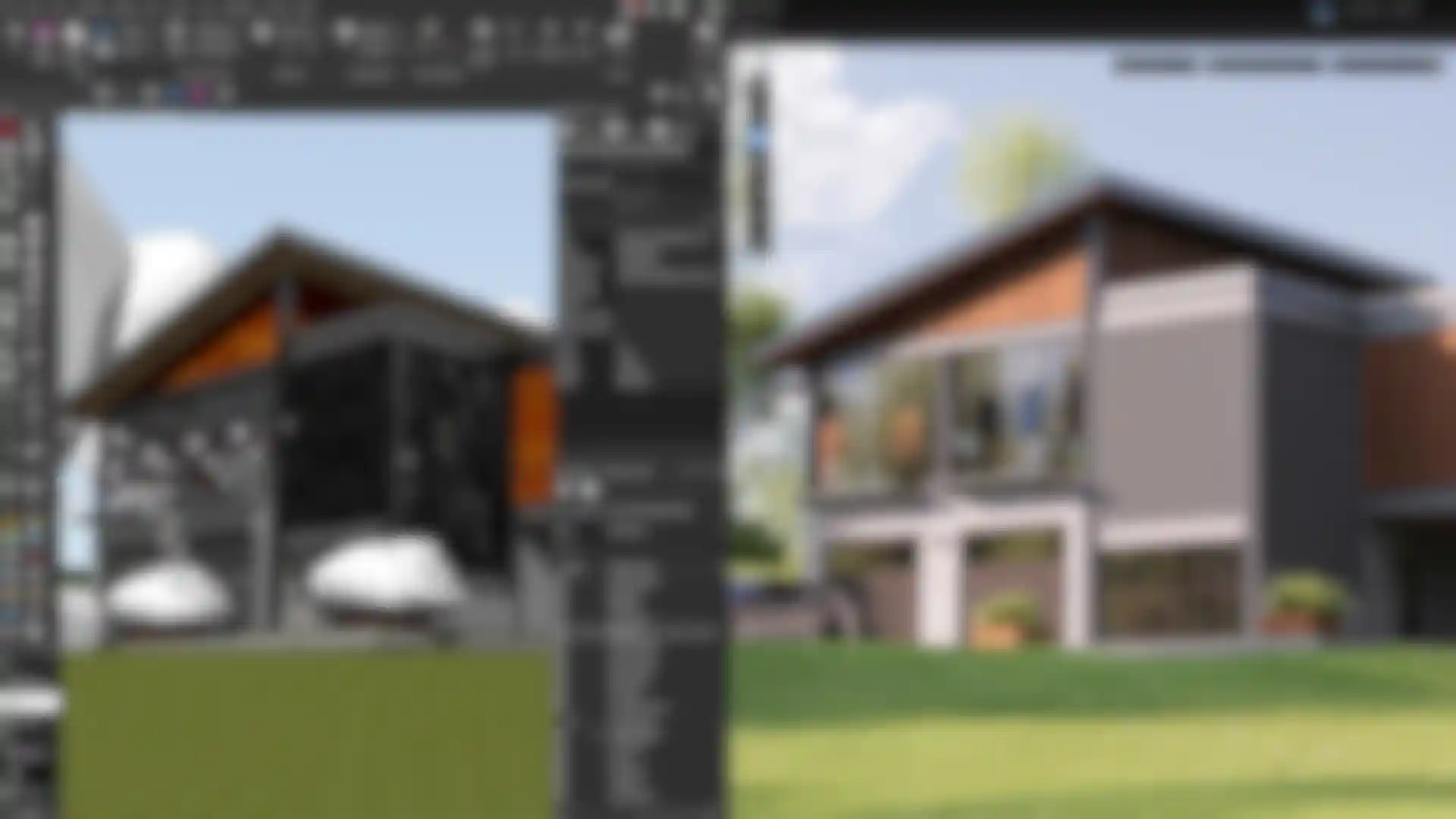
建築ビジュアライゼーションは、手作業から、映像制作とインタラクティブ性を融合させたハイブリッドな制作プロセスへと進化してきました。
| 時代 | 方法 | 制限 |
|---|---|---|
1980年代以前 | 手描きの水彩画 | 時間がかかる |
1990年代 | 初期のCAD | 限定的なリアリズム |
2000年代 | レイトレーシング | レンダリングが遅い |
2010年代 | GPUレンダリング | 反復作業の高速化 |
2020年代 | リアルタイム+シネマティック・ハイブリッド | 没入感のあるワークフロー |
建築ビジュアライゼーションの進化は、手描きのスケッチ、手描きの建築レンダリング、模型から、デジタルワークフロー、GPUレンダリング、リアルタイムレビュー、そしてバーチャルリアリティや拡張現実といった没入型ツールへと移り変わってきました。今日、建築業界でも、コミュニケーションの改善、スピードアップ、効率化、コスト削減、プロジェクト成果の向上、そしてよりインタラクティブで臨場感あふれる可視化体験の実現を目的として、人工知能(AI)、AIを活用したワークフロー、デジタルツイン、および共同作業型の可視化パイプラインがますます活用されるようになっています。
ビジュアライゼーションとレンダリング:その違いとは?
それでは、用語を明確にしましょう。「建築レンダリングとは何か」、あるいは「建築においてレンダリングとは何を意味するのか」と問われた場合、その答えはビジュアライゼーションよりも狭い範囲を指します。レンダリングとは、より広範な建築VIZという分野の中で行われる、技術的な画像生成の工程のことです。
| ビジュアライゼーション | レンダリング |
|---|---|
創作プロセス | 技術計算 |
構成とストーリーテリング | 光のシミュレーション |
キャリアパス | ソフトウェアの機能 |
専門分野 | レンダリングエンジンの出力 |
わかりやすい例えを挙げると、ビジュアライゼーションとは写真撮影のようなものです(レンズ選び、構図、ストーリー作り)。レンダリングとは、センサーによる光の処理のことです。
標準的な建築ビジュアライゼーションのワークフロー
標準的なビジュアライゼーションプロセスでは、CADやBIMの入力データから制作に使用できる状態の3Dシーンを構築し、その後、ライティング、レンダリング、ポストプロダクションへと進みます。現代のデジタルデザインプロセスにおいて、各段階は画質とプロジェクトのコミュニケーションの両方に影響を及ぼします。
標準的なワークフロー
入力データ → 3Dモデル → マテリアル → ライティング → レンダリング → ポストプロダクション
CAD/BIMからビジュアライゼーション対応へ
CADは通常、図面や線データで構成され、BIMはオブジェクトベースのデータです。どちらも整理が必要です。不要な非表示レイヤーを削除し、乱れたジオメトリを再構築し、最終的に見えない部分を簡略化します。
ステップ1:3Dモデリングとシーン構築
整理された階層構造、一貫した単位設定、最適化されたジオメトリが重要です。特にリアルタイム建築ビジュアライゼーションでは、その重要性がさらに高まります。この段階で、建築モデルは単なる計画用の成果物から、実際の制作に使用できるアセットへと変わります。また、高品質なモデルは、パイプライン後半でより正確なビジュアライゼーションと一貫した結果を得るうえでも役立ちます。
ステップ2:ライティングとマテリアル
建築レンダリングに説得力を与えるのは、主にライティングとマテリアルです。PBRマテリアル(適切なスケールのテクスチャ、ラフネスの変化)とライティング手法(屋外では太陽光と天空光、屋内ではIES照明器具)を使用します。フォトリアリスティックな静止画を制作する場合でも、コンセプトビジュアライゼーションを制作する場合でも、リアルな照明とリアルなマテリアルは、説得力のある視覚表現を実現するための2つの重要な要素です。
角の丸み、微細なラフネス、わずかな汚れ、適切な焦点距離といった細かなリアリズムの要素は、あらゆる部分に極端なディテールを加えることよりも重要です。被写界深度は、スケールの表現やピントの合っている部分の強調に慎重に活用すれば効果的ですが、それ自体が注目を集めるのではなく、構図を引き立てる役割を果たすべきです。
ステップ3:レンダリング技術
建築レンダリングは、使用するソフトウェア、レンダラー、およびワークフローの要件に応じて、CPUまたはGPUのいずれかで行われます。GPUレンダリングはルックデベロップメントや反復作業を高速化しますが、大規模なシーンや特定のパイプラインでは、依然としてCPUが有用な場合があります。
パフォーマンスのトレードオフについてさらに詳しく比較したい場合は、GPUレンダリングとCPUレンダリングの比較ガイドをご覧ください。
オフラインレンダリングは、最終的なヒーローフレームの作成に最適です。一方、リアルタイムエンジンは、インタラクティブ機能、コンフィギュレーター、VR、および設計レビュー時の没入感の高い体験に最適です。
「建築レンダリングとは何か」と尋ねられた際、多くの人が思い浮かべるのはこの段階のことです。つまり、シーンがレンダリングエンジンを通じて写実的な画像に変換される段階です。
ステップ4:ポストプロダクションとコンポジティング
ポストプロダクションとコンポジティングは、画像を統一する工程です。これには、カラーマネジメント、トーンマッピング、グレーディング、大気表現、最終的な仕上げが含まれます。ここでは、ブルームやわずかなヴィネット、控えめな色収差、あるいは微かなフィルムの粒状感など、カメラ特有のわずかな不完全さを意図的に加えることもできますが、一般的には控えめなほど良いと言えます。また、キャンペーン全体で複数の建築レンダリングに一貫性を持たせるためにも活用できます。
この最終仕上げにより、チームはマーケティング資料、プレゼンテーション、ステークホルダーによるレビューにおいて、設計意図を正確に伝える高品質なビジュアライゼーションを作成できます。
建築ビジュアライゼーションの種類
これらの出力カテゴリは、さまざまな建築ビジュアライゼーションのスタイルや建築レンダリングのスタイルも反映しています。プロジェクトによっては、マーケティングのためにフォトリアリスティックな建築ビジュアライゼーションやその他のリアルなビジュアルが必要となる一方、初期の設計コンセプトを伝えるために、コンセプトビジュアライゼーション、アーティスティックなレンダリング、あるいは静止画レンダリングを用いるプロジェクトもあります。
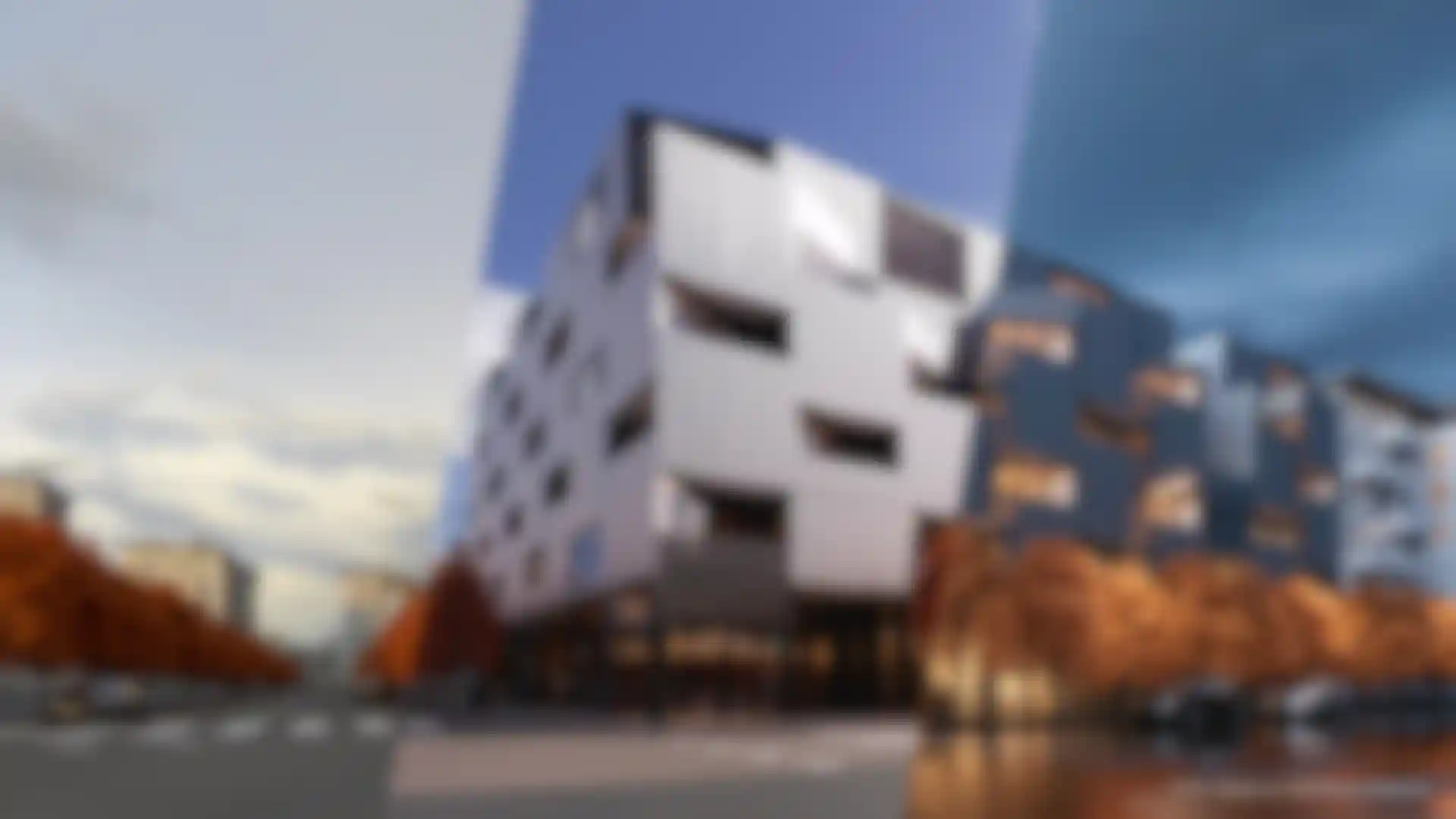
一般的な建築ビジュアライゼーションの出力形式
| 種類 | 説明 | 用途 |
|---|---|---|
静止画 | フォトリアリスティックな内観・外観 | マーケティング |
アニメーション | ウォークスルー | 営業プレゼンテーション |
リアルタイム/VR | インタラクティブな環境 | クライアントの没入体験 |
スタイライズ/コンセプチュアル | 芸術的表現 | 初期の設計 |
これらを総合すると、これらが業界全体で用いられている建築レンダリングの主な種類となります。
また、リアルタイムやVRを活用した形式は、空間が実際に建設される前に、クライアントやステークホルダーがスケール感、奥行き、空間的な関係性をより明確に理解するのにも役立ちます。
ツールおよびソフトウェアのカテゴリ
ここでは、建築ビジュアライゼーションおよびそのワークフローに使用される主なソフトウェアカテゴリと専門ソフトウェアについて、中立的な観点から概説します。
CAD/BIM:Revit、Archicad、Vectorworks、および関連する設計環境
シーン構築用DCC:モデリング、UV展開、レイアウト、アセット管理に使用するソフトウェア
レンダリングエンジン:Redshift、V-Ray、Coronaなど(それぞれワークフローや画質に異なるトレードオフがあります)
リアルタイムツール:Enscape、Lumion、Twinmotion、および関連するインタラクティブなワークフロー
実務では、チームは通常、ワークフローの信頼性、反復作業の速さ、出力品質、利用できる制御機能、そして自分たちが手掛ける建築プロジェクトのニーズにそのツールがどの程度適しているかといった観点から、レンダリングツールを評価します。「バイアス」と「アンバイアス」といった分類は、予測可能性、速度、レンダラーがアーティストにどの程度のコントロールを与えられるかといった実践的な要素に比べると、日々の建築VIZ制作ではそれほど重要ではありません。
つまり、真の違いはマーケティング用語にあるというよりは、レンダラーがアーティストにどれほどの制御性、予測可能性、そして実用的な効率性をもたらすかという点にあるのです。
多くのチームでは、モデリング、レンダリング、モーションデザイン、ポストプロダクションを連携させるために、より広範なツールエコシステムを活用しています。統合型エコシステムは、これらの機能のいくつかを1つのワークフロー環境内で組み合わせたものであり、Maxon Oneはこのカテゴリーの一例です。対照的に、Redshiftはより具体的にはレンダリングエンジンのカテゴリーに属し、GPUレンダリングパイプラインで広く利用されています。 実制作向けのGPUパイプラインに関心のある方は、建築家向けRedshiftガイドをご覧ください。ワークフローとの適合性、速度、出力品質についてさらに詳しく解説しています。
プラットフォームやワークフローについてより幅広く比較したい場合は、当社のおすすめの建築レンダリングソフトウェアガイドをご覧ください。.
3ds Maxによる建築ビジュアライゼーションと関連ワークフロー
ワークフローに3ds Maxを使った建築ビジュアライゼーションが含まれる場合でも、3ds Maxによる建築ビジュアライゼーションについて調べている場合でも、基本原則は同じです。クリーンなデータ、適切に調整されたマテリアル、丁寧に設計されたライティング、そして安定したポストプロダクションのパイプラインが重要です。
建築ビジュアライゼーションは有望なキャリアでしょうか?
建築ビジュアライゼーションは、デザインや問題解決、視覚的コミュニケーションを好むアーティストや技術専門家にとって、有力なキャリアパスとなり得ます。建築士の資格は必要ありませんが、技術的なスキル、デザインに対する感性、そしてクライアントや建築家、インテリアデザイナー、その他の業界の専門家に対して、アイデアを明確に伝える能力が求められます。
この分野は、建築、インテリアデザイン、デジタルメディア、そして制作の間に位置しています。多くの建築ビジュアライゼーションアーティストは、建築家やデザイナー、不動産業界の専門家、不動産仲介業者、デベロッパー、都市計画担当者や都市計画の専門家と協働しています。また、複雑な設計調整が必要な場合には、構造エンジニアと協力することもあります。
最近の傾向としては、モデリング、レンダリング、アニメーション、ポストプロダクションをすべて理解している、多才なジェネラリストが求められています。商業施設、住宅、複合開発プロジェクトにおいて、こうした幅広いスキルセットは、チームがクライアントの信頼を高め、設計上の欠陥を早期に発見し、より優れたプロジェクト管理を実現するのに役立ちます。
AIは、人間の代わりとなるというよりは、あくまで補助的な存在であり続けるでしょう。没入型プレゼンテーションやバーチャルリアリティ、拡張現実がますます普及するにつれ、芸術的なビジョンとデジタルツールを融合させることができる専門家の需要は、今後も高まり続けるでしょう。
建築ビジュアライゼーションの主要用語集
レイトレーシング
3Dシーン内を光線が通る経路をたどることで、光をシミュレートするレンダリング手法。建築ビジュアライゼーションにおいて、レイトレーシングは、リアルな反射や屈折(ガラス)、ソフトシャドウ、そして正確な光の挙動を表現するために不可欠であり、特にインテリアやファサードのガラス部分において重要です。
グローバルイルミネーション(GI)
表面間で反射する間接光を計算する一連の手法。GIは、部屋を「スポットライトが当たっている」ような印象ではなく、自然光が差し込んでいるかのような雰囲気を作り出し、リアルな色の滲み(例えば、温かみのある木製の床が近くの壁にほのかに色を移すような効果)を生み出します。
BIM
ビルディング・インフォメーション・モデリング(BIM)とは、オブジェクト(壁、窓、ドアなど)が単なる形状だけでなく、パラメータや相互関係も保持する、プロセスでありデータ形式でもあります。建築ビジュアライゼーションにおいて、BIMは、クリーンアップと最適化を経た後、正確な縮尺のモデルを得るための貴重な情報源となります。
GPUレンダリング
主にグラフィックスカード上で実行されるレンダリング。GPUレンダリングを利用することで、ルックデベロップメントや最終フレームのレンダリングを劇的に高速化でき、反復的なワークフローを実用的なものにします。その代償としてVRAMの容量制限があるため、大規模なシーンでは、多くの場合、最適化やプロキシ、あるいはテクスチャの適切な管理が必要となります。
パストレーシング
シーン内の多数の光の伝播経路をたどることで、直接光と間接光の相互作用を含め、物理的に妥当な照明を近似するレイトレーシングの手法。フォトリアリスティックな建築レンダリングではよく使われる手法ですが、サンプリングが不十分だとノイズが目立つことがあります。そのため、ノイズ除去と適切な照明戦略が重要になります。
アセット / 添景
家具、植栽、人物、乗り物、小道具など、再利用可能なシーン要素。それらはスケール感や物語性を与えてくれる一方で、複雑さも生み出します。優れた建築ビジュアライゼーションのパイプラインでは、スタイルや地域性に適合し、ライティングとの一貫性を保てるよう、アセットを標準化しています。
アーティスティック・レンダリング
アーティスティック・レンダリングとは、厳密なフォトリアリズムよりも、雰囲気、抽象性、あるいは概念の明快さを優先した視覚的表現を指します。建築では、最終的なマテリアルが完全に決定される前の初期設計段階で、雰囲気、マッシング、ストーリーテリングを検討するために、アーティスティックレンダリングがよく使用されます。プロジェクトによっては、輪郭線、トーンによるシェーディング、手描き風の効果を強調するスタイライズ表現やNPRのワークフローが用いられることもあります。
コンセプトビジュアライゼーション
コンセプトビジュアライゼーションは、最終的な施工ディテールではなく、設計の方向性を伝えることを目的とする場合に使用されます。これは、コンペや初期段階のクライアント向けプレゼンテーション、そして正確な仕上げ仕様よりも大まかな設計コンセプトが重視される戦略策定段階などで、よく見られるものです。また、このような場面では、スタイライズ表現やNPRベースのレンダリングも有効です。特に、線画、フラットなシェーディング、イラスト調の表現の方が、厳密な物理的リアリズムよりもコンセプトを効果的に伝えられる場合に適しています。
FAQ(よくあるご質問)
建築VIZとは何ですか?
建築VIZは、建築ビジュアライゼーションの略称です。建築VIZとは、建築物が建設される前にその姿や空間を理解できるよう、静止画、アニメーション、インタラクティブなシーン、その他のビジュアル表現を制作する実務を指します。
建築レンダリングとは何ですか?
建築レンダリングとは、3D建築シーンから、リアルまたはスタイライズされた画像を生成するプロセスです。これは建築ビジュアライゼーションの一部であり、建築ビジュアライゼーションには、より広範なクリエイティブプロセスやコミュニケーションのプロセスも含まれます。
建築レンダリングとは何ですか?
建築レンダリングとは、3Dシーンから生成される最終的なビジュアル成果物です。これには、内観画像、外観画像、静止画レンダリング、ウォークスルーのフレーム、設計レビューやコミュニケーションに使用されるコンセプトビジュアルなどが含まれます。
建築ビジュアライゼーションとレンダリングの違いは何ですか?
建築ビジュアライゼーションとは、建築を視覚的に伝えるための包括的な専門分野であり、意図、ストーリー、シーン構築、成果物の提供までを含みます。レンダリングとは、そのプロセスにおける技術的な工程の一つであり、光、マテリアル、カメラの情報から画像を生成する計算処理のことです。
建築において、3Dモデリングとレンダリングの違いは何ですか?
3Dモデリングでは、ジオメトリとシーンの構造を作成します。レンダリングでは、光とマテリアルの挙動をシミュレートすることで、そのシーンを画像やフレームに変換します。実際には、モデリングによって「何があるか」が決まり、レンダリングによって「それがどのように見えるか」が決まります。
建築VIZの仕事をするには、建築家である必要がありますか?
いいえ。多くの建築ビジュアライゼーションのアーティストは、CGI、ゲーム、あるいはVFXの分野出身です。ビジュアルの正確性と信頼性を保つためには、建築に関する基礎知識――スケール、代表的な建築構成要素、設計段階の流れなど――が必要です。
建築ビジュアライゼーションにはどのようなソフトウェアが使われていますか?
通常、複数の建築ビジュアライゼーションソフトウェアを組み合わせて使用します。例えば、ソースデータにはCAD/BIM、モデリングやシーン構築にはDCC、オフラインまたはGPUレンダリングにはレンダリングエンジン、インタラクティブ/VRにはリアルタイムエンジン、ポストプロダクションやコンポジティングにはコンポジティングツールを使用します。
建築ビジュアライゼーションを習得するには、どれくらいの時間がかかりますか?
3Dの基礎知識がすでにあれば、集中的に練習すれば、およそ6~18ヶ月でジュニアレベルに到達できます。習熟―複雑なプロジェクトの遂行、クライアントとのコミュニケーション、パイプラインの信頼性の確保―には、通常、数年にわたる実制作経験が必要です。
結論
建築ビジュアライゼーションは、現代的なハイブリッド分野です。実際の建築を正確に扱うための技術性と、雰囲気や意図を伝えるための芸術性を兼ね備えています。フォトリアリスティックな建築レンダリング、レビュー用のリアルなビジュアライゼーション、初期コンセプトのストーリーテリングに用いるアーティスティックなレンダリング、VRによるリアルタイム建築ビジュアライゼーションなど、どのような形式であっても目的は同じです。建築物が建設される前に、その建築を理解しやすくすることです。
実務で役立つスキルを身につけたいなら、まずは初心者向けチュートリアルから始め、学生向けライセンスや学習リソースを調べて、その後、レンダリングエンジン、制作ワークフロー、建築ビジュアライゼーションのキャリアに関する専門的なガイドに進んでいきましょう。